SECND
Browse help

Automation

Import Existing Listings

Pull active marketplace listings into SECND on a schedule and optionally crosslist them.

Last updated 2026-08-23

In short

Pull active marketplace listings into SECND on a schedule and optionally crosslist them.

Set it up

1.

Open the template

Tap More → Automations, find Import Existing Listings, then tap Set this up.
2.

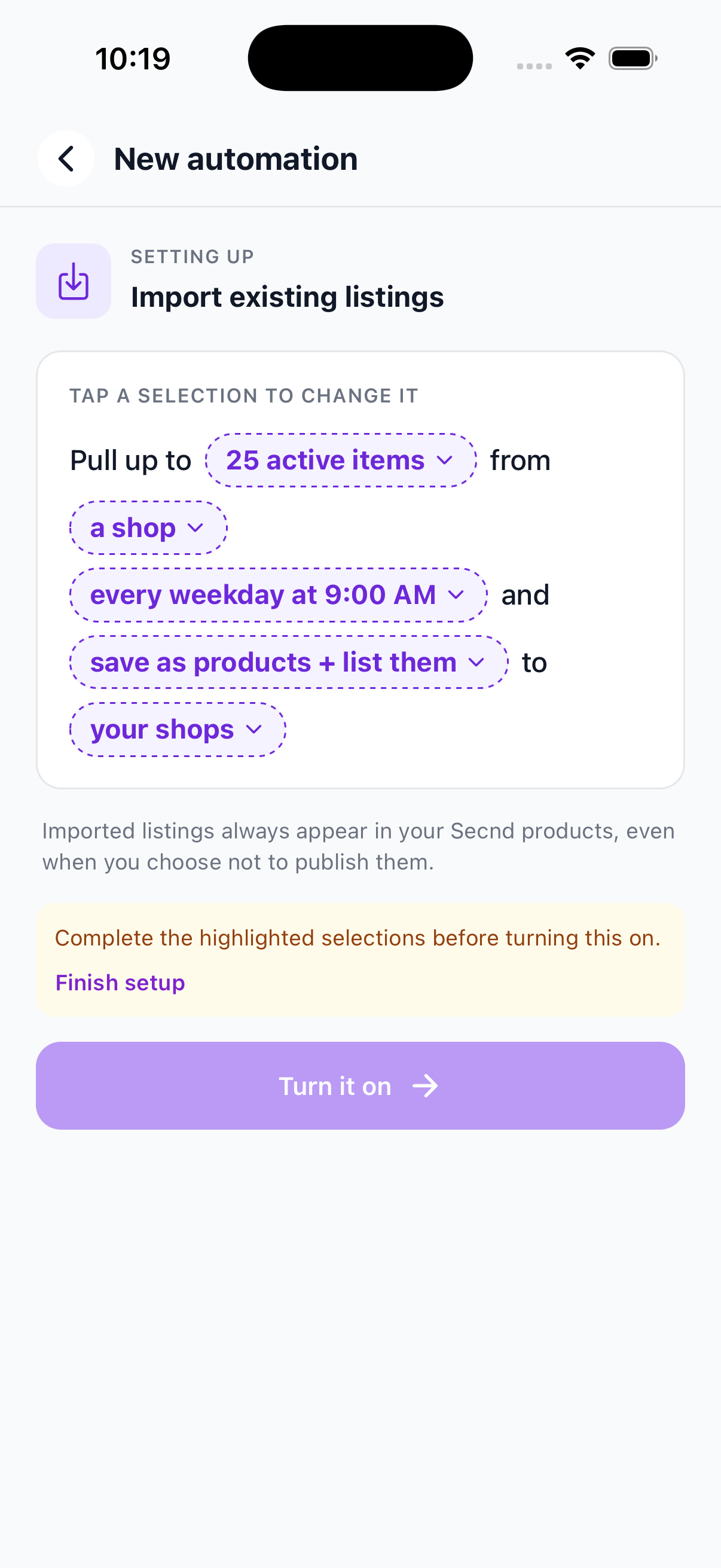
Choose the rules

Choose the source marketplace, item limit, run time, and days. You can limit imports by listing age or Shopify collection, fill missing fields with AI, and choose destination marketplaces for immediate crosslisting.
Import Existing Listings setup screen
3.

Review and enable

Read the summary, save the automation, and leave its switch enabled. SECND runs it on the days and time you selected.

Manage it

4.

Check activity

Tap See activity to review imported, matched, skipped, and crosslisted items. Existing matches are updated instead of duplicated.
5.

Pause, edit, or run now

Use the switch to pause the automation. Tap Change settings to edit it, or open the action menu and choose Run now for an immediate run.

Common issues

Heads up

No items were processed. Check the source, targets, filters, schedule, and item limit. The activity view explains why SECND skipped individual items.

Have a question that isn't answered here? .